In one sentence
The auth policy decides how people sign in to your QFormance org — which methods are allowed, which email domains are accepted, whether a fresh credential confirmation is required on the highest-impact actions, and what QFormance support checks before it will ever reset one of your accounts.
- The policy gates how, not what. Roles and permissions still decide what someone can do once they're in.
- Email-domain restriction applies to invitations and SSO sign-ins. An out-of-policy domain is rejected at the callback.
- Step-up confirmation lasts five minutes — within that window, further sensitive actions skip the prompt.
Every sign-in must satisfy multi-factor authentication — your sign-in method plus a code from your authenticator app. The auth policy decides which sign-in methods are permitted; MFA sits on top and always demands the authenticator code. Neither SSO nor a passkey satisfies MFA on its own.
Allowed sign-in methods
Tick the methods your team is permitted to use:
| Method | Notes |
|---|---|
| Email + password | Legacy, on by default |
| Passkey | Passwordless via an enrolled credential — Touch ID, Face ID, hardware key |
| Google SSO | Workspace accounts |
| Microsoft SSO | Microsoft 365 / Entra ID accounts |
Leaving all four ticked = no restriction (the default for existing organizations). Untick to block. The save dialog warns if your policy would lock you out on the next page load — and, separately, if it would lock other members out (see Lockout warning below).
Accepted MFA methods
MFA is required for everyone; this card decides which second factors your members may use.
| Factor | Notes |
|---|---|
| Authenticator app (TOTP) | Google Authenticator, 1Password, Authy, or any RFC 6238 app |
| Passkey (built-in) | Touch ID, Windows Hello, phone |
| Security key (hardware) | YubiKey, Titan, other FIDO2 keys |
All three ticked = no restriction. Untick to narrow — for example, unticking the authenticator app forces everyone onto passkeys or hardware keys. At least one must stay on; the form refuses to let you untick the last one.
Removing a factor type doesn't delete anyone's existing credential, but it stops that credential counting toward MFA. Someone whose only second factor was the type you just removed is sent to the setup page at their next sign-in, where they confirm their email address and enroll an accepted factor. That works — but it's an unannounced interruption in the middle of someone's day. Tell people first.
Allowed email domains
Restrict invitations and SSO sign-ins to specific domains. Type a domain and press Add — chips appear to show what's whitelisted.
When the list is non-empty:
- Admin invitations are rejected if the email's domain isn't in the list ("acme.com is not in this organization's allowed email domains").
- SSO sign-ins from out-of-policy domains are rejected at the callback ("Your email domain isn't permitted to sign in to this organization").
- An empty list (the default) means any email domain is permitted.
Lockout warning: changes that would strand other members
Tightening the allowed methods or the email-domain list can leave someone with no permitted way to sign in — for example, unticking Email + password when a member has only ever used a password, or adding a domain allowlist that excludes their address.
Before such a change lands, the save pauses and shows a dialog:
"N members would be locked out."
It lists each stranded person by name and email, with a reason tag — no allowed method, email domain, or method + domain. This is a warning about other members, not just yourself (the self-lockout check still runs separately).
A member stranded on method can recover once you re-allow a method they've enrolled or they set up an allowed one. A member stranded on email domain can't self-fix — their address itself is no longer permitted, so you'll need to adjust the allowlist or their account.
Click Cancel to reconsider, or Save anyway to proceed — the names of the members locked out are written into the activity-log entry for the change, so the audit trail shows you were warned and continued.
The capability check reads each member's enrolled methods (passkey via their credentials, SSO via their linked identities, plus password), so it only flags people who genuinely have no remaining way in.
Step-up: require a passkey to confirm sensitive actions
Turn this on and certain high-impact actions prompt for a fresh passkey confirmation:
- Approving any step on a document, or direct-publishing a patch revision
- Approving or closing an MOC
- Approving an Exemption
- Approving a JHA or FMEA
- Closing an NCR
- Closing a meeting
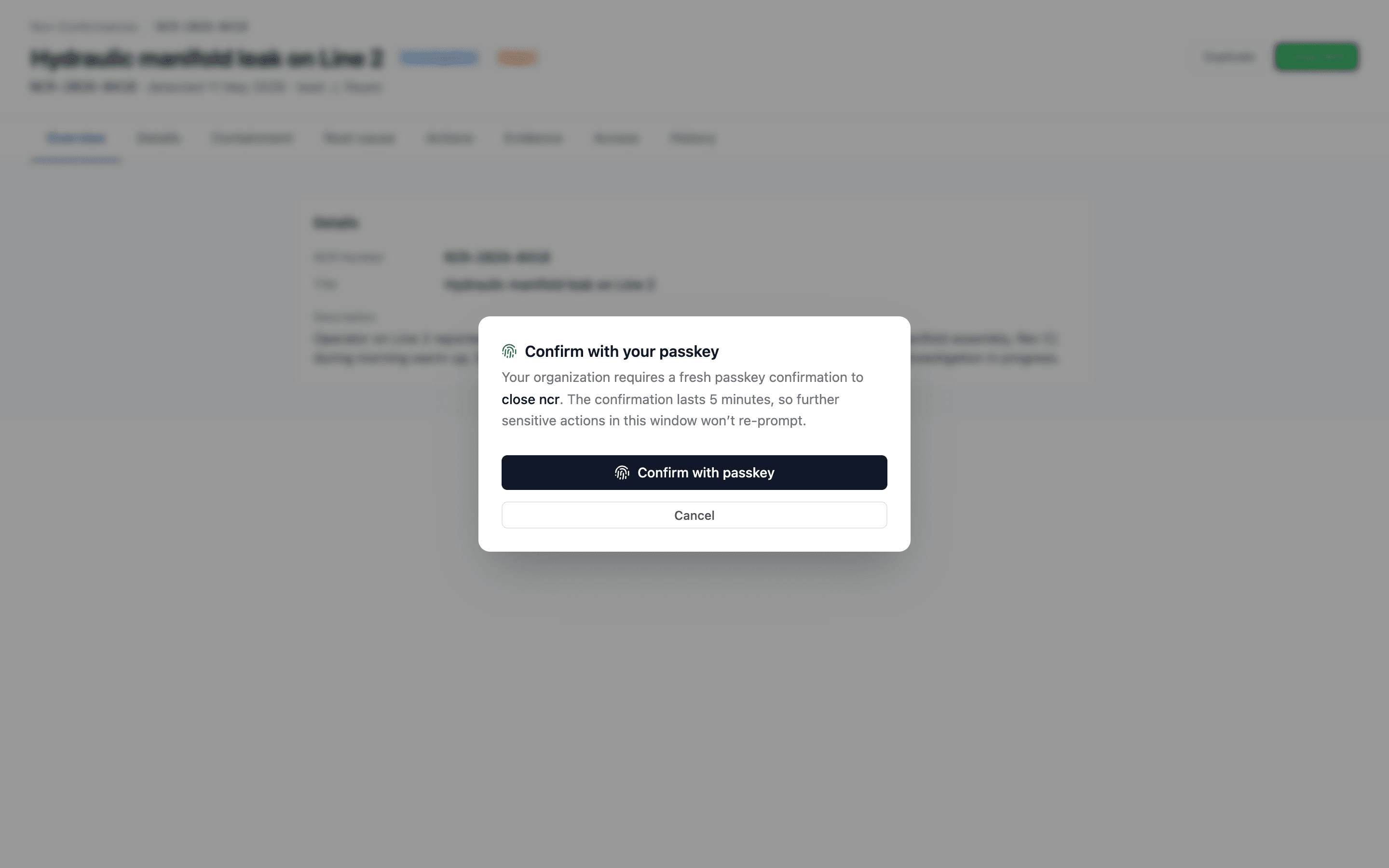
Click the action as normal. A small Confirm with your passkey modal appears. Tap your passkey — the action proceeds and the audit trail records the confirmation timestamp.
The five-minute confirmation window means a series of sensitive actions only prompts once. After five minutes, the next sensitive action prompts again.
The audit trail then shows "user X confirmed with passkey at HH:MM:SS" alongside each gated action — not just "user X's session was used".
Two-tier guard when you turn step-up on
Toggling Require passkey for approvals is the kind of change that can quietly lock people out of their work, so QFormance gates it twice before it lands.
Tier A — hard block. You can't enable the toggle if Passkey isn't in your Allowed sign-in methods. The save returns:
"Add 'Passkey' to allowed sign-in methods before requiring it for approvals — your org currently has Passkey disabled."
The reason is simple: requiring approvers to confirm with a method the org has disabled is a contradiction. Tick Passkey in the methods list, save, then come back and turn step-up on.
Tier B — soft warn with confirmation. If you're enabling the toggle for the first time and the org has any users named as approvers (in MOC / Exemption routing rules, JHA / FMEA / Document defaults, document approval routing, or active delegations) who haven't yet enrolled a passkey, the save pauses and shows a dialog:
"These N approvers will be locked out of their approval queues until they enroll a passkey: …names…"
Cancel, ask those people to enroll, then come back. Or click Continue — the policy saves, and the names of the warned-but-not-yet-enrolled approvers get written into the activity row alongside the policy change. The audit trail then shows that you were warned and proceeded anyway, so an auditor reading back can reconstruct what state the org was in at the moment of the change.
The check is conservative — it sweeps every routing surface and every active delegator, so a user who could conceivably be asked to approve is included.
What the approver sees if they have no passkey
If an approver who hasn't enrolled a passkey clicks an action that's now gated, the Confirm with your passkey modal opens, and the Confirm with passkey button surfaces an inline panel: "No passkey enrolled — add one in your profile first." with an Enroll a passkey now link that opens the user's profile in a new tab. After they enroll, they return to the original tab and click Confirm with passkey — the action proceeds.
The dead-end "go enroll and come back" friction is the friction Tier B is designed to surface up-front.
Support verification
The same page hosts a second card: Support verification. It's the same question as the sign-in policy above — who gets to be you — asked about a phone call rather than a browser.
If someone in your organization is locked out of MFA and contacts QFormance support, these are the details we check before touching their account. Recording them in advance is the whole point: an impersonator controls their own phone and their own inbox, but not what you told us months ago.
| Field | What it's for |
|---|---|
| Callback number | A number we ring to reach someone who can vouch for a request. |
| Who it reaches | A name and role, so the operator knows they reached the right person, not just the right number. |
| Support PIN | 4–12 digits. Share it with the people who might call us. |
Only a hash of the PIN is stored, so support can check a PIN a caller quotes but can never read one back to you. If it's forgotten, set a new one. Leave the field blank to keep the current PIN; type a single space and save to clear it.
Saving requires a session that has already cleared its second-factor challenge, not merely one that's signed in. These details are an input to a later authorization decision, so someone holding a stolen password must not be able to quietly repoint the callback number at a phone they own and then ring support.
Every other administrator is emailed when these details change, for the same reason. The activity log records that they changed and who changed them — never the values, because a PIN written into an append-only audit table is a PIN nobody can ever redact.
QFormance will never ask for your support PIN by email, and will never accept a phone number given to us during a call — we ring the number you recorded here. If someone claiming to be QFormance asks you to do either, it isn't us. See Account recovery for the full anti-impersonation guidance.
This item also appears on the onboarding checklist, and it deliberately has no Skip — you can mark it We'll rely on other checks, but that has to be a decision someone made rather than a line that quietly fell off the list.
Audit trail
Every change to the auth policy is recorded in the org's activity log with the previous and new values, the admin who made the change, and the timestamp. Step-up confirmations are recorded similarly, with the device name of the credential that confirmed.
Support-verification changes and every MFA reset are logged in the same trail — including each time platform support checks a PIN against your organization, and whether it matched. A pattern of failed checks is visible to you, not only to us.
What the policy does not do
- It doesn't replace roles and permissions — those still gate what a user can do.
- It doesn't force existing members to re-enroll — switching to passkey-only means their next sign-in needs a passkey, not an immediate kick.
- It doesn't migrate calendar / Outlook integrations — those use separate OAuth flows on the user's profile page.