In one sentence
Internal courses are training material you author inside QFormance — file content, document content, or quiz-only — assigned to users or roles, optionally with a retrain interval that re-prompts learners on a schedule.
- Quiz authoring is shared with documents — same UI, same shuffling, same per-question references. Learn it once.
- Publishing freezes the quiz into a version. Learners are stamped against the version they completed.
- Retrain intervals are optional. Set them for safety-critical or regulatory training; leave them off for one-time onboarding content.
Access at Admin → Training → Courses. Authoring requires the relevant admin capability.
Internal courses are consumed by every user type: full users see them in their Training Hub alongside their other work; Read & Acknowledge users take the same courses on the same surface. That's the primary case — operators and technicians completing the training their roles require, at $3/seat.
Creating a course
Click New course. Courses start in Draft — you can keep editing until you Publish.
Editing a course
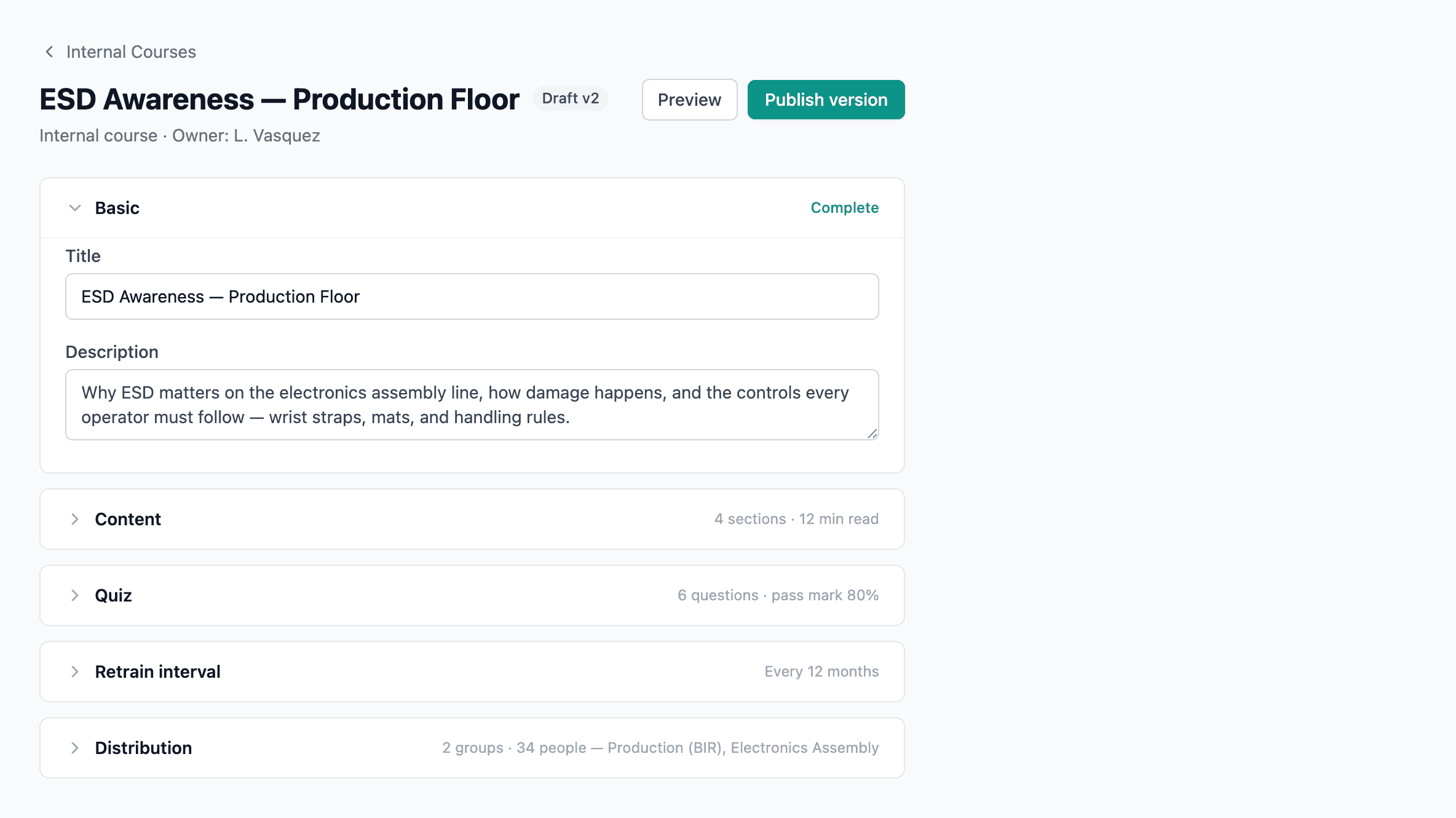
The course edit page has these sections:
Basic
Title, description, optional instructions.
Content
Three options:
| Option | Use when |
|---|---|
| None | Quiz-only course |
| Uploaded file | PDF, video, or other file you want learners to read or watch |
| Reference an existing document | The training is on a controlled document — link it rather than duplicate |
Quiz
Toggle Required; set Passing %. Author questions with:
- Drag-to-reorder
- Multiple-choice options; mark correct ones
- Per-question references — document-link anchors so learners can jump to the relevant section
- Option order is shuffled per attempt, so memorizing position doesn't help
Retrain interval
Number of months before a learner must re-complete. Omit for one-time courses.
Distribution
Assign to individual users, roles, or both. Distribution is the who — completion (and the Training Hub) is the what.
Status
| Status | What it means |
|---|---|
| Draft | Editable, not yet visible to learners |
| Published | Live for everyone in the distribution list |
| Archived | Hidden from learners; completion records preserved for audit |
Retraining
If a retrain interval is set, learners see Overdue or Due [date] badges in their Training Hub as the interval approaches. They retake the course to reset their due date. Each completion is recorded with its own timestamp — retrain history is preserved in full.
Shared quiz engine
Courses and documents share the same quiz engine, so:
- The author UI works identically in both places.
- Answer shuffling, per-question references, and passing-% behavior are consistent.
- Reporting treats both as training completions.
Publishing and versioning
Publishing freezes the current quiz into a course version. Learners completing the course are stamped against that version. If you edit the course after publishing, a new draft quiz is created — learners complete the latest published version until the next publish.
A change saved to the draft doesn't reach learners until you publish. If you fix a typo and walk away, learners are still seeing the previous version. Hit Publish to roll the change.